
Turn your blog into a book
Aktualisiert: 20. Juli
The Story
Back in 2011, I started my first blog on WordPress: a report from a road trip through Alaska, shot on one of the first iPhones. More travel reports followed over the years.
When book-printing services became widely available, I had a few of these trips printed. It was expensive, and there were always minor layout issues — tables in particular tended to lose their formatting.
A friend of mine traveled even more than I did. One of her trips alone filled two printed volumes, at a total cost of 500€.
Discovering Claude and MCP gave me an idea: complete my now self-hosted blog, grunewald.blog, with all the standout trips I'd made across North America. I already had the itineraries and images — but printing them as one big book through a digital print service would have cost around 1,000€.
I'd had good experiences with an online copy shop (Copy Crea), which delivers high-quality PDF prints at a fraction of that cost. So I went looking for a WordPress plugin that could turn a blog into a "book PDF" — and found only a handful, all with the same layout problems and at certain cost.
That's what led to the idea of building my own plugin with the help of Claude AI, and publishing it on the WordPress plugin directory — a genuinely interesting project in its own right. It's free to use; if it saves you time, a "Buy Me a Coffee" is always appreciated.
The Plugin
Blogtome turns the published posts of a WordPress category into a print-ready PDF book — sorted chronologically, chapter by chapter. It's built for travel blogs, journals, or any project you'd like to see as an actual printed book.
By design, Blogtome keeps its configuration deliberately limited, so it stays simple rather than turning into a full desktop-publishing tool.
Chapters & layout
Every published post in the chosen category becomes a chapter, in chronological order
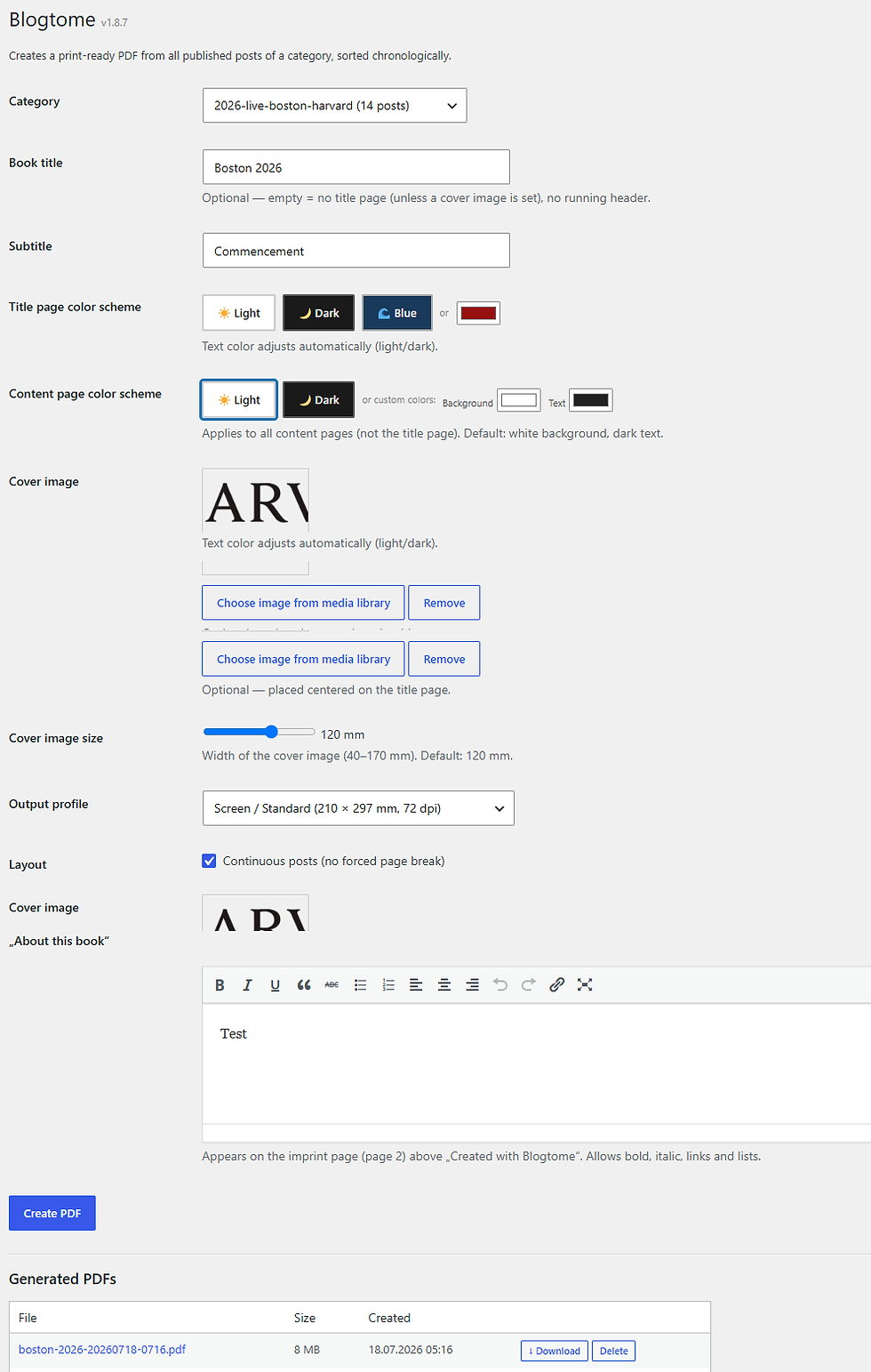
Two output profiles: Screen/Standard (A4) or Print/HighRes (216 × 303 mm with 3 mm bleed at 300 dpi) for professional print services
One- or two-column layout, switching automatically to one column for chapters that contain tables
Optional header with book title/subtitle, continuous or per-chapter page numbering
Freely choosable background and text colors
Optional cover image, plus a freely editable "About this book" text block
Supported content
TablePress tables, including those inserted via short code, are recognized and formatted automatically
Spectra image galleries, single images with captions, and container blocks are natively supported
Classic Gutenberg images keep their captions together across page breaks
Embedded videos are replaced in the PDF with a QR code linking to the original
Management
Generated PDFs are listed in the admin area, ready to download or delete
The last-used settings are remembered automatically
That's it — no picking individual posts, no elaborate theming. Just a fixed A4 (or print-ready) format, sized for a copy shop rather than an expensive digital book service.
Install from here: https://wordpress.org/plugins/blogtome/

Kommentare